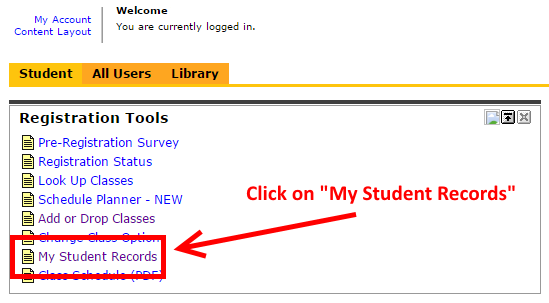
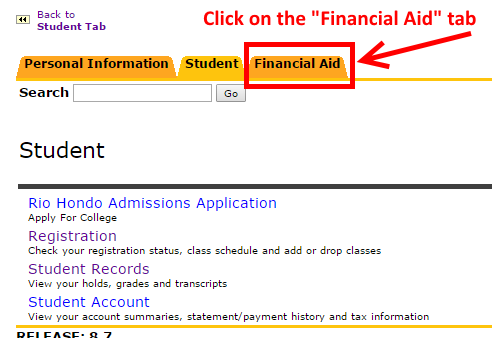
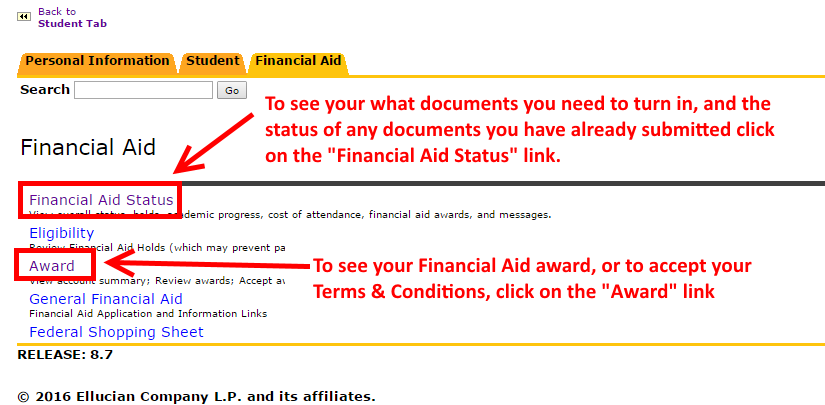
How to Find Your Financial Aid Tab AccessRío Login Step 1: Log Into Your AccessRío Account Login to AccessRío Portal Step 2: Click on the “My Student Records” Step 3: Click on the “Financial Aid” Tab Step 4: Choose the Appropriate Link Based on the Information You Would Like to View